Installing Mailchimp for WordPress – My Spiritual Biz

Installing Mailchimp for WordPress

  1. In your WordPress admin panel, go to Plugins > New Plugin, search for MC4WP: Mailchimp for WordPress and click “Install now” from the search results page.
  2. Alternatively, download the plugin from WordPress.org manually and upload the contents of mailchimp-for-wp.zip to your plugins directory.
  3. Activate the plugin
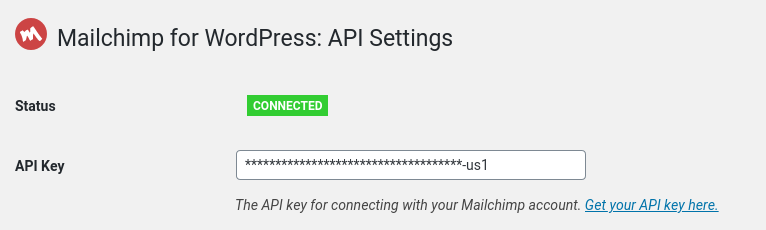
  4. Set your Mailchimp API key in the plugin settings.

If you see a green box saying “Connected”, you are good to go! You are now ready to start subscribing visitors to your Mailchimp lists.
Delivering Your Download File

  1. Create a new WordPress page and call it Thank You.
  2. Put whatever content you desire on there and the link to your free download.
  3. Save and publish your page.
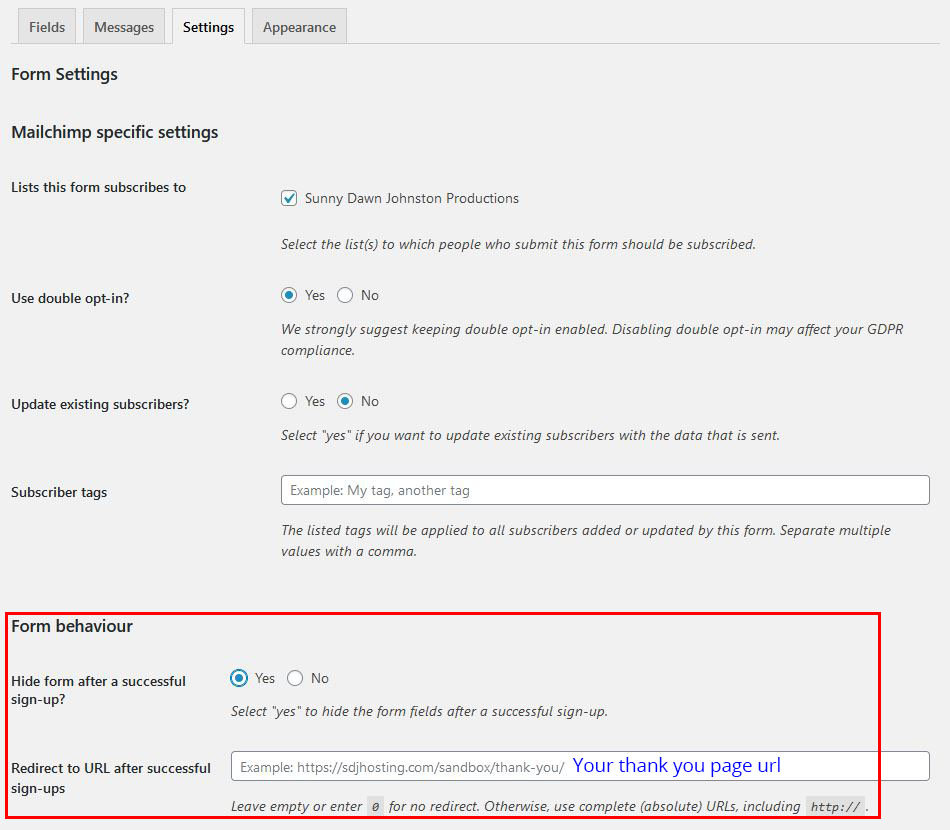
  4. Click on the Settings tab under the MC4WP menu item in the left hand column.
  5. Scroll down to the Form behavior section and check the YES radio button under Hide form after a successful sign up?
  6. Enter your thank you page url in the Redirect to URL after successful sign-ups
Facebook
WhatsApp
Twitter
LinkedIn
Pinterest
Recent posts
Our Gallery
Scroll to Top